UMKC provides all UMKC students, faculty, and staff with a secure email account. Your instructors, the ALI staff, and the International Student Affairs Office will send important emails to your UMKC email address.
Why do I need to use email?
In the United States, email is an important way of communicating. Most important information will be given by email, not in person or by speaking
Why do I need to use my UMKC email account?
Some students use their friend or family member’s email address when applying to UMKC. This means that they do not always have easy access to the email account. Also, it means their email is not private. Additionally, it means that UMKC does not know if you receive their emails.
UMKC provides you with a UMKC email address so that you have easy access to your emails, nobody else has access to them, and to guarantee that you receive important emails from university faculty and staff.
University faculty and staff will send important information to your UMKC email address, NOT your personal email address. It is your responsibility to check your UMKC email so that you know the important information.
How to access my UMKC email account
First, you need to set up your Pathway Access.
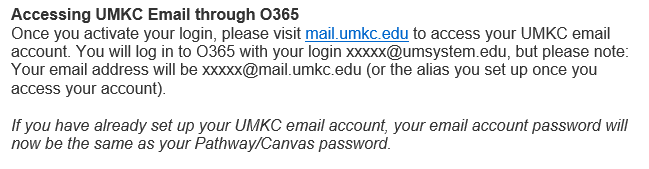
The email you received with instructions for setting up your online accounts also has instructions for accessing your UMKC email account.
After you access your UMKC email for the first time, you can easily find it on other places on the UMKC website. The easiest way is to go here: https://umkc.edu/current-students/index.html, scroll down a little, and then select the Webmail icon.
Tech Support
If you have problems setting up your online accounts, please contact UMKC Tech Support at techsupportcenter@umkc.edu.
 Applied Language Institute: The Blog